False dead links in the Tool : how to mark them as false positive
| Last Edited Time | |
|---|---|
| Type | |
| Status | |
| Created By | |
| Last Edited By | |
| Stakeholders | |
| Property |
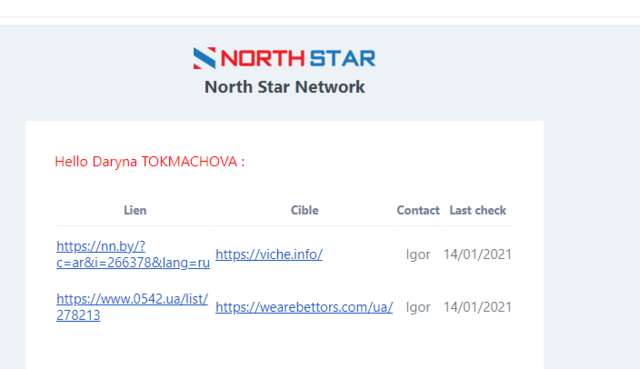
Sometimes, the Tool will mark links as dead while they are actually still live.
Ex :
There are several technical reasons for this (I won't mention them all, but feel free to ask @Joseph DELASSALLE . for more info on this 😄)
We can correct this by marking them as "False positive", since they are not dead links per se
To do that, go to the Tool > Backlinks, and find said link. Then click on the red square that says "Mark as false positive".

Your link will now be marked as a False Positive and you will no longer get the email notifying you about the link being dead.